Search Divine Frequency Wiki

18 matching pages

CommandsDivine Frequency All Commands: Verified Console HelpFind verified Divine Frequency all commands examples for resource preloading and historical HUD scaling, with console access notes and build-specific limits.CombatDivine Frequency Ascendant Champion: Duel ApproachFace Divine Frequency Ascendant Champion with historical duel advice, corrected flash timing, accessibility guidance, and the confirmed hidden-solution scope.Character progressionDivine Frequency Best Starting Class for BeginnersChoose the Divine Frequency best starting class for the demo. Compare Wits, Strength, and Physique using dated player reports and official balance changes.PlatformsDivine Frequency Doom Mod: Standalone Game ExplainedThe Divine Frequency Doom mod became a standalone GZDoom game. Understand the legacy conversion, Steam demo, old download limits, and version-specific saves.GuideDivine Frequency Game Battery: Location Research StatusDivine Frequency game battery research has no verified pickup route. See what the documented light references establish and why they are not battery solutions.Character progressionDivine Frequency Game Increase Strength: Leveling GuideDivine Frequency game increase strength questions explained: the train milestone, Exaltation leveling, and how the demo differs from the planned full game.GuideDivine Frequency Game Terminal Numbers: Code EvidenceDivine Frequency game terminal numbers explained: distinguish a satellite-room clue from terminal output, without treating 451 as a verified universal password.CombatDivine Frequency How to Parry: Duel Timing GuideDivine Frequency how to parry guide: use the corrected duel flash, distinguish gun counters from fist parries, and find the extended-window accessibility aid.WeaponsDivine Frequency How to Repair Weapons: Manual UseDivine Frequency how to repair weapons guide: manually use repair items, understand the renamed spray and device, and separate older demo durability rules.GuideDivine Frequency Secrets: Confirmed Demo DiscoveriesExplore Divine Frequency secrets confirmed by official notes, including the hidden Champion solution, optional encounters, and the limits of old item rumors.GuideDivine Frequency Speedrun: Historical Demo Runs GuideRead Divine Frequency speedrun evidence for the verified historical Demo run, category differences, build changes, and why its time is not a full-game record.PlatformsDivine Frequency Steam: Demo and Early Access GuideCheck the Divine Frequency Steam research snapshot for its demo, planned Early Access date, Windows support, English language options, and announced scope.StoryDivine Frequency Story Explained: The Confirmed PremiseDivine Frequency story explained through its confirmed premise, world consciousness, psi background, and intentional ambiguity, without invented spoilers.Character progressionDivine Frequency Strength Build: Low Vibration GuidePlan a Divine Frequency strength build around the June 2026 Low Vibration rework, manual power punches, blocking, kill healing, and version-specific limits.TrailersDivine Frequency Trailer: Official Early Access VideoWatch the Divine Frequency trailer from the developer-linked Genghis Khan channel, with release-date context and a clear distinction from the older 2023 video.GuideDivine Frequency Walkthrough: Demo Starting GuideUse this Divine Frequency walkthrough for the documented demo opening, repair obstacle, class choice, and progression limits, with clear version boundaries.WeaponsDivine Frequency Weapon Locations: Opening Demo GunDivine Frequency weapon locations research covers the historical opening firearm and nearby repair item, without inventing a complete current-build pickup map.WeaponsDivine Frequency Weapon Upgrades: Systems ExplainedUnderstand Divine Frequency weapon upgrades, modifications, weapon-channeled psi abilities, and the train milestone without confusing repairs with leveling.
PLATFORMS

Divine Frequency Doom Mod: Standalone Game Explained

Mod history and standalone distribution

Divine Frequency started as a Doom total conversion and later became a standalone GZDoom-based game. The official Steam demo is a different distribution from the historical conversion package. Steam-demo players should not be sent through an old mod installation procedure. The original ModDB listing was marked deleted when checked for this research on October 25, 2026.

Why older coverage calls it a Doom mod

November 2020 historical coverage explicitly identifies Divine Frequency as a Doom total conversion. That coverage describes the GZDoom and WAD dependencies of that version. It is evidence of the project's origin and the package being discussed at the time. It does not establish installation requirements for every later release.

By October 2023, independent coverage describes the transition to a standalone project. The current official distribution in the research is a Steam game page with a downloadable demo. The two descriptions therefore concern different stages of the same project's development. Calling the current Steam installation “just the old download” would hide a meaningful version distinction.

What the GZDoom connection means here

The standalone project's GZDoom lineage is supported by developer notes about the core files. The November 2023 update explains a save-compatibility issue caused by changes to those files. That corroborates the engine connection without requiring the Steam game to be installed as a legacy mod package. Engine ancestry and distribution format are separate questions.

This distinction also prevents unsupported console or compatibility claims. A shared engine does not independently prove that every generic command has been tested in this game. Nor does it establish that an old WAD or save can be dropped into a newer installation. The sources must identify the actual build and action being described.

Use the official Steam entry for the standalone demo

The official store is the supported current product entry point in the collected snapshot. It lists the developer and publisher as Abraxaes and provides the standalone demo. The researched platform is Windows, with English interface, audio, and subtitles. These facts concern the Steam listing checked on October 25, 2026.

Historical WAD requirements should therefore stay attached to the original conversion. They should not be added to a Steam-demo download guide as though nothing changed. This page does not provide an unverified mirror or ask you to obtain a legacy package from an unknown host. See the Steam page guide for the documented distribution and release snapshot.

Why the old ModDB route is not a current download guide

The original ModDB listing displayed a deletion notice during research. Its generic list of possible removal reasons did not establish why this particular page was removed. A deletion notice is evidence that the listed route is not a working download entry. It is not evidence for an accusation about the developer or a specific takedown cause.

An old article can still be useful for explaining the conversion's history. That does not make its download button a currently supported installation route. The two questions need separate treatment. This guide directs current standalone players to the official product entry rather than guessing at replacement mirrors.

Saves and walkthroughs need version labels

The November 7, 2023 developer patch warns that changes to GZDoom core files make older saves incompatible. That warning applies to the update being discussed. It should not be expanded into a claim that every update always invalidates every save. It does show why an old playthrough and a newer build need careful comparison.

The same caution applies to maps, upgrades, and secret routes from the conversion. Historical coverage does not establish the same locations in the standalone game. A community suggestion that the old mod is a canonical prequel was not verified in the research. The engine history cannot settle an unsupported story timeline.

Sources
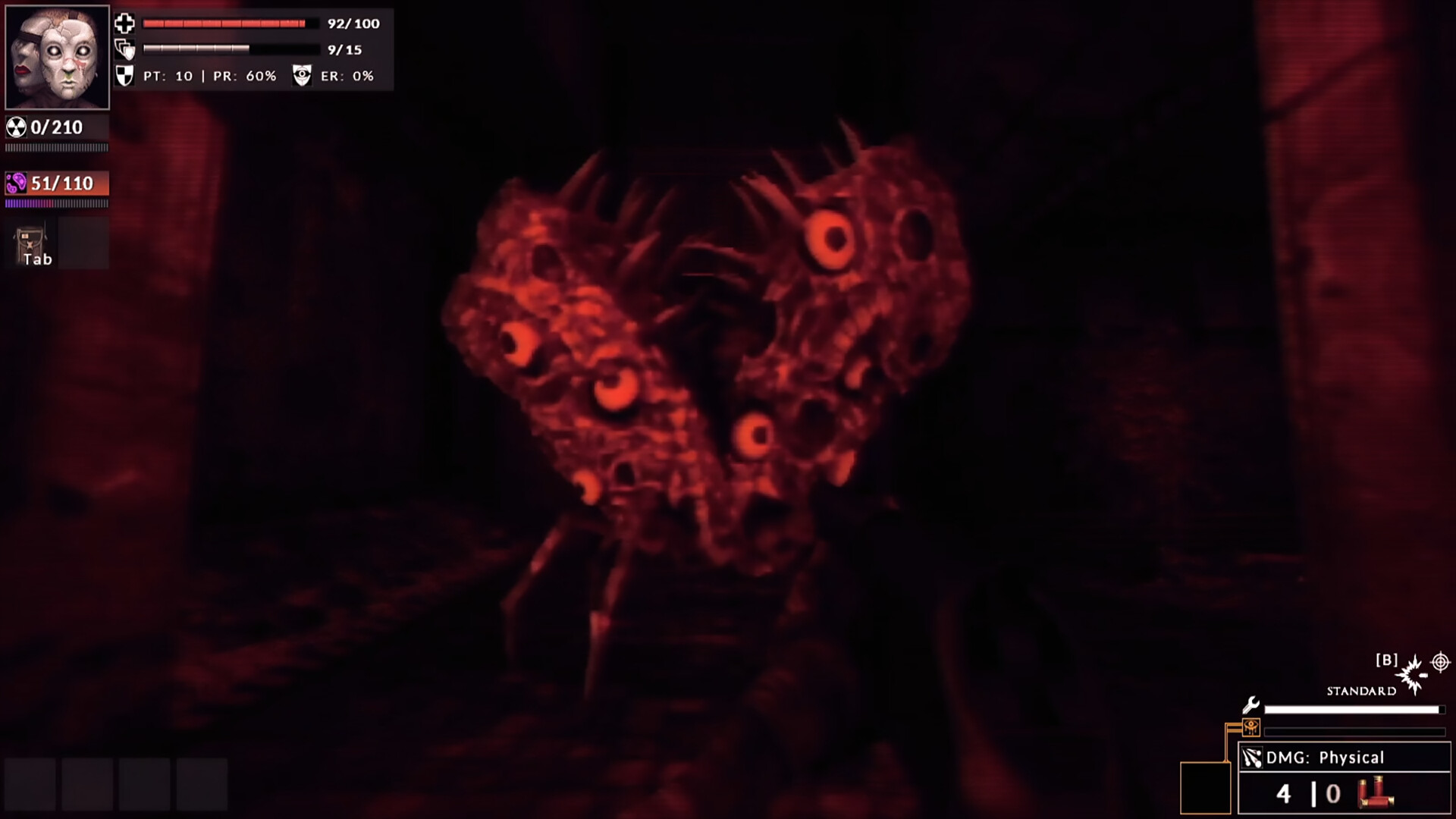
Official Divine Frequency gameplay screenshot, shown for illustration

Official screenshots · Steam media gallery · © Abraxaes and respective rights holders. Material statement.

Continue your journey

All guides